
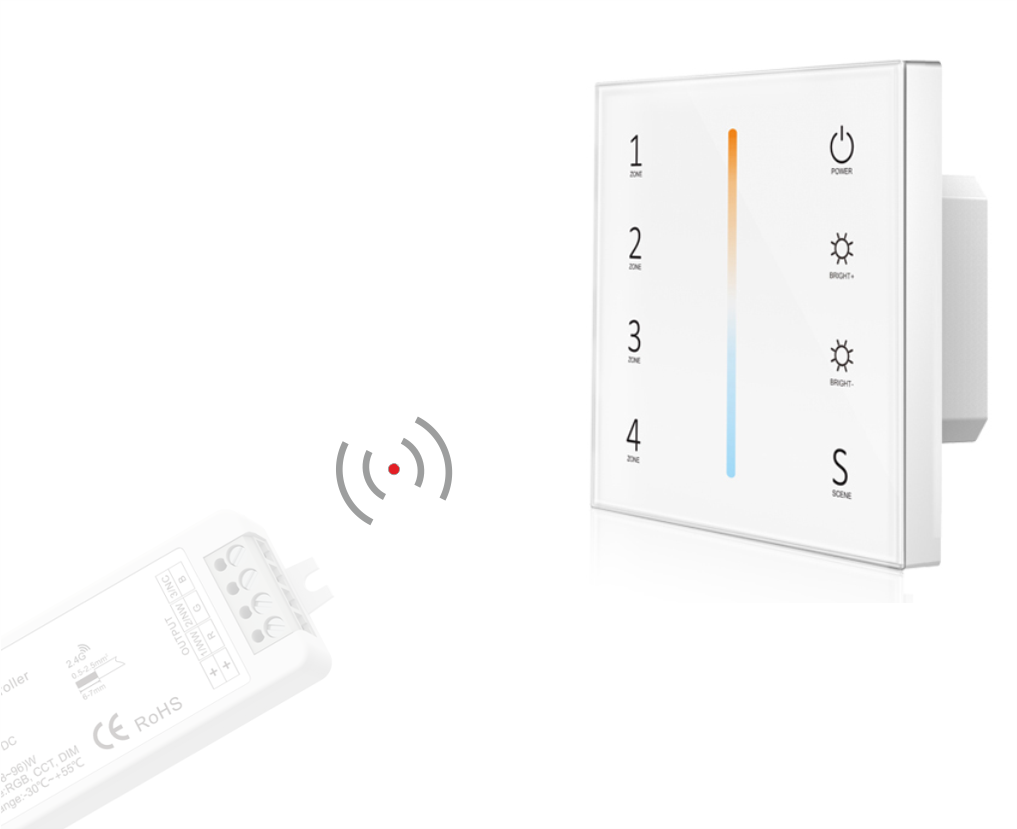

This is the remote/panel only; a compatible receiver must be purchased separately!

Wall Panel for Controlling LED Strip Lighting
Door-to-door warranty included as standard – check details
Panel for LED strip:
- CCT
The remote requires a receiver to operate.
Panel functions:
- turn on / off
- dim / brighten
- light color adjustment
- 4 separate zones
- lighting scene preset
- DMX512 control
- touch buttons with LED indicator
- smooth and accurate color adjustment by touching the color slider
- ultra-sensitive, high-strength glass touch panel with a central color touch slider and backlighting
- when the panel is used as an RF remote, each zone can remotely control multiple BLACK series receivers
Allows you to adjust light brightness, turn the light on and off, and set lighting programs.
Remote control for managing up to 4 different lighting zones!
- each room / section in a building can be controlled separately
- multiple receivers can be programmed to a single zone (for example, pressing button “1” controls ceiling lighting, pressing button “2” controls shelf lighting, button “3” controls lighting behind a mirror and on furniture, while button “4” remains free for future use).
Discover the BLACK series family
The remote requires a second device—a receiver. The remote works with the following receivers:
Pairing instructions (connecting and disconnecting the remote with the receiver)
PAIRING and UNPAIRING – there are two options to choose from:
Method One:
Pairing:
- Briefly press the match button on the receiver, then immediately press the selected zone on the touch panel. If the LED indicator flashes rapidly several times, pairing has succeeded.
Unpairing:
- Press and hold the match key for 5 seconds to delete all paired devices. If the LED indicator flashes rapidly several times, it
means all paired remotes have been deleted.
Method Two:
Pairing:
- Turn off power to the receiver, then turn the power back on, and immediately short-press the zone key on the touch panel 3 times. The indicator light will flash 3 times, meaning pairing has succeeded.
Unpairing:
- Turn off power to the receiver, then turn the power back on,
and immediately short-press the zone key on the touch panel 5 times. The indicator light will flash 5 times, meaning all paired remotes have been deleted.